
Organizing LMD- Wanganui, AKL, CHCH, WKT
Go Inventory, Operations, LMD scheduling. This brings up the report used to schedule all LMD jobs around NZ
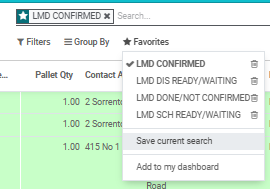
LMD Confirmed: Represents all jobs that you have confirmed with the customer, eg the date you are going to deliver to site
LMD DIS READY/WAITING: Represents upcoming jobs that dont have a schedule date
LMD Done/Not Confirmed: Represents jobs that have been dispatched, but no confirmed delivery date, so its either in transit or sitting in the depot waiting for a date.
LMD Sch Ready/Waiting: Represents all upcoming sch dates, these are the majority of our large customers, like GJ, Fletcher living, Flowerday etc. Very important screen to be on top of.
Getting started
I open up 4 screens for each depot.
The depots we have in NZ is, Newtech (Wanganui), Mainstream Hamilton, Auckland Showroom, Mainstream Nelson, Mainstream Christchurch depot, Invercargill Depot and Central Otago Depot.

Your screen should look like the above.
Open up Auckland depot scheduling:
On first Odoo scheudling tab, select LMD Confirmed date: Then on the left select mainstream/newtech, post/haste newtech AKL showroom. Then select lock filter. This will bring up all the LMD confirmed dates to be delivered in Auckland.
On the second Odoo scheduling tab, select Done/Not Confirmed. Then on the left select mainstream/newtech, post/haste newtech AKL showroom. Then select lock filter. This will bring up all jobs either in transit, or in aukland showroom that we dont have a delivery date for. Some of them will be jobs pushed out and some are jobs to be organised for delivery.
On the third Odoo scheudling tab select LMD Sch Ready/Waiting: This will bring up all upcoming scheduled date orders that need to be delivered on that specific day, often you will still need to call the PM to confirm this.
On the 4th Odoo schduling tab select LMD, LMD dispatch ready/waiting. This will bring up all upcoming jobs that dont have a scheduled date, that will need to be arranged. Often smaller builders, and end user customers etc.
Then open up these 4 odoo tabs for all the depots in NZ, you will live on this screen, all day along with Radaro.
How to book deliverys in
To book deliverys in, I dont really have any specific days that we head to in each region, because its highly dependant on what jobs we have and customer type. Eg, I always priotise the group builders over smaller customers, and try to maximise the drivers load as best as we can.
I would start by opening up Odoo screens. Heres LMD SCH ready/waiting for Newtech. I am now going to call these project managers a week on from now and double check dates with them. This will help me build or create a run. You can see i am focusing on the group builders as these are our core customers.
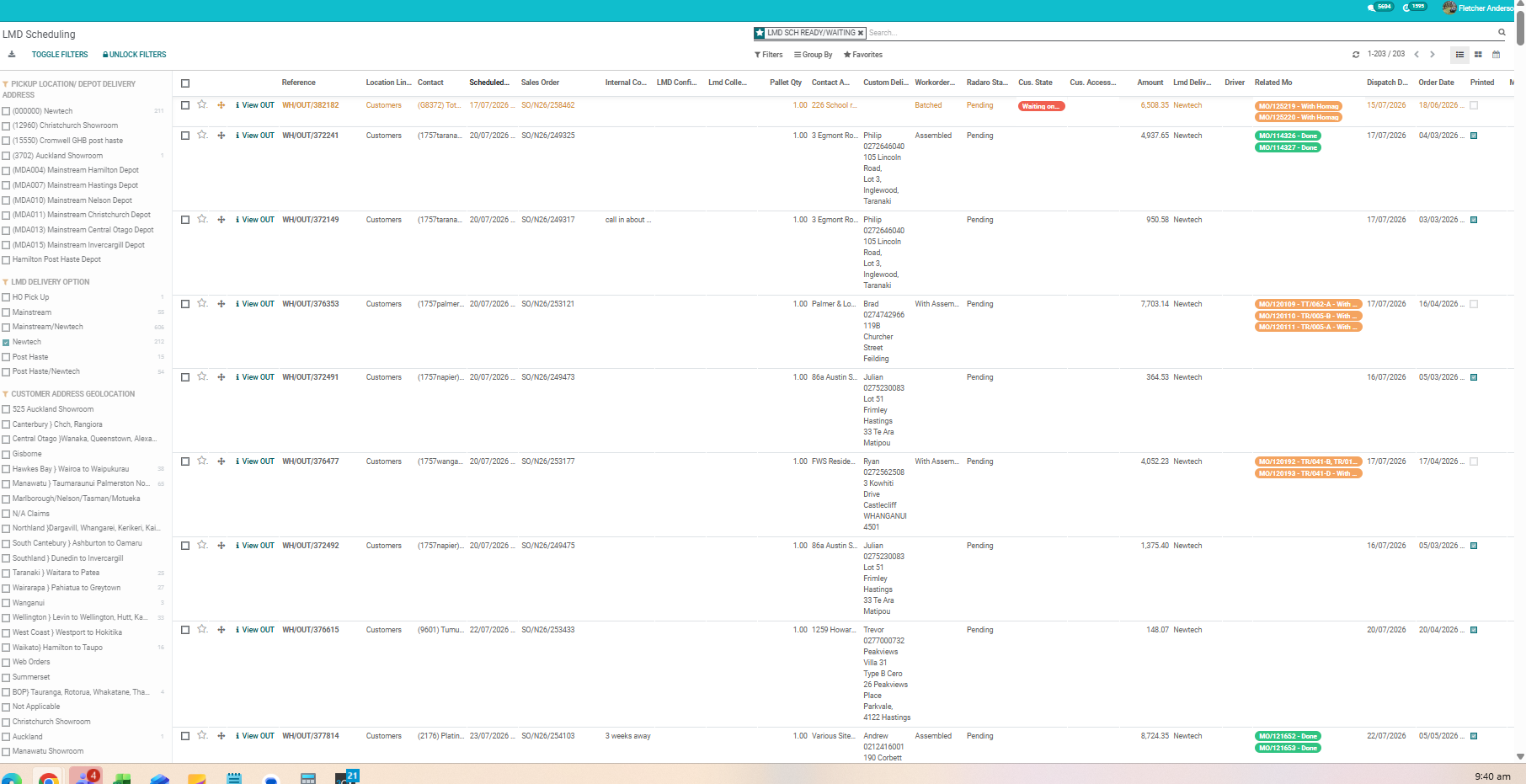
The first customer is ready for his whenever, because its going to a workshop, I said that we are passing through next wednesday and he was happy with that. I will now select LMD confirmed date as the 22/07, change sch date to 22/07 and dispatch date to 21/07. I will also select customer state as confirmed, as I have verbally confirmed this with him
